
Get paid before the guests walk in
Online bookings always open, with no app to download: customers pick players, package and time slot, pay and receive the confirmation by email, all synced with your center in real time.
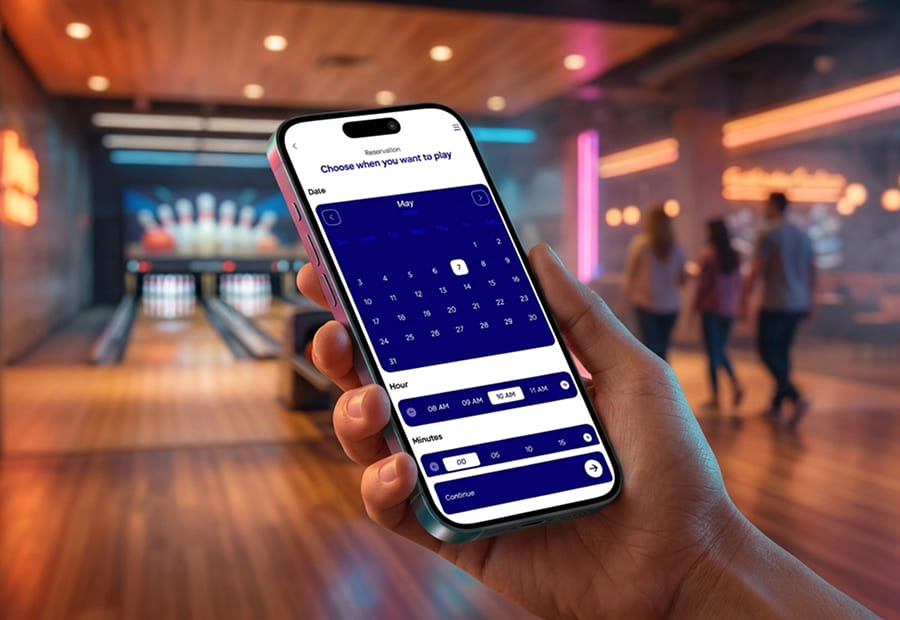

Reservation in one tap
SmartBowl Online Reservation is the online booking page the center links from its own website, social channels or an on-site QR code: the customer books straight from the browser, 24/7, with no app to download and no phone call to the front desk.

Book in a few steps
The customer first picks how many players there will be.
Then they select the package (Open bowling, themed tournaments, happy hour and every other formula configured by the center), with a clear description and the choice of the game duration.
Finally the monthly calendar: a tap on the day, on the hour, on the minute and the slot is locked.
Availability in real time, synced with the center's FrontDesk. No double bookings.
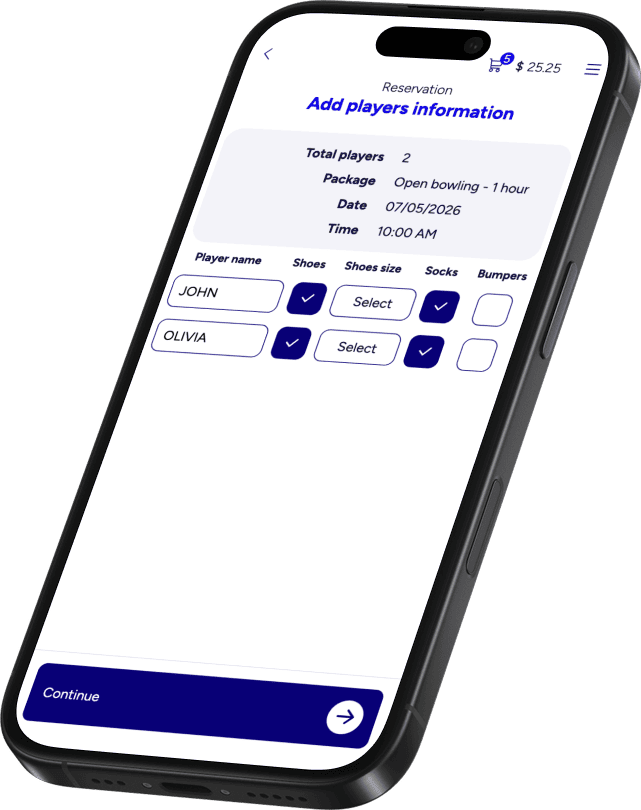
Names, shoes and preferences, captured before they arrive
Before paying the customer fills in the player details: name, shoe size, socks, bumpers if needed. Only the fields the center has actually configured.

The cart, clear before paying
Before paying, the cart review makes everything clear: items, prices and totals, no surprises.
A Discount field to enter any coupon, then the customer proceeds to payment.
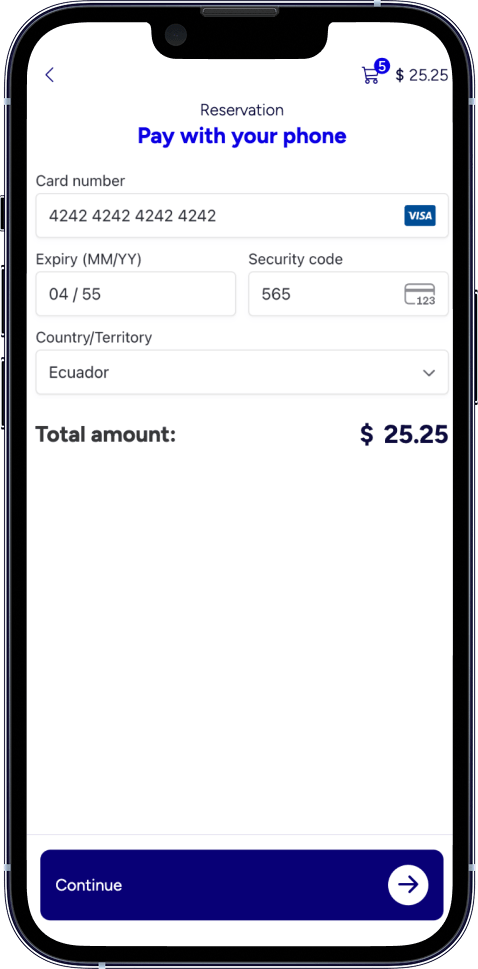
Card payment in seconds
The reservation closes directly online: card number, expiry, CVC and country. Mastercard, Visa, Amex, Discover, Apple Pay and Google Pay supported.
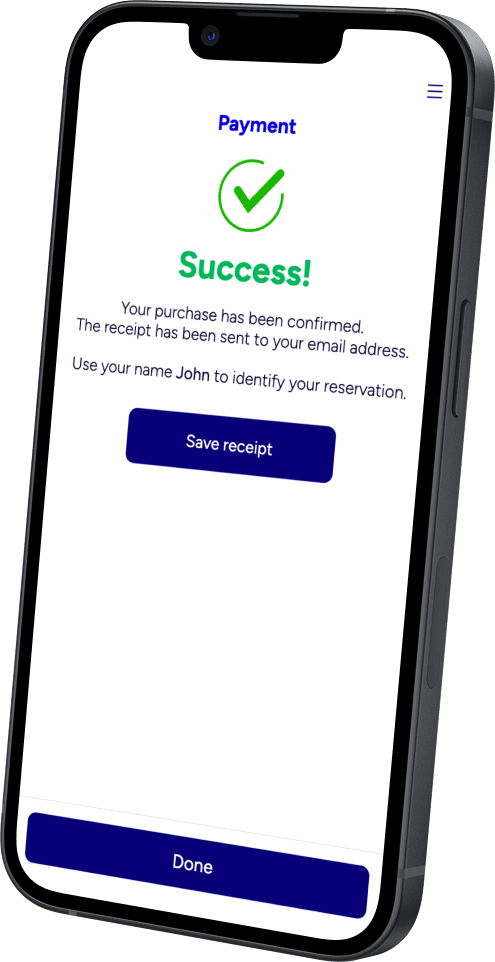
Reservation confirmed. Receipt in the inbox. Lane on the board
Once the payment goes through, the Success page appears: purchase confirmed and receipt sent to the customer's email address.
The reservation shows up in real time on the center's FrontDesk and on the Remote Control, exactly like one taken at the counter.
Part of the SmartBowl ecosystem