Every web app in your venue. One tap from anywhere
A dedicated launcher that turns Remote Control, Kiosk and any other service into a full-screen experience, like a native app, without the app store. Less time hunting browser tabs. More time running the floor.
All your web apps. One screen
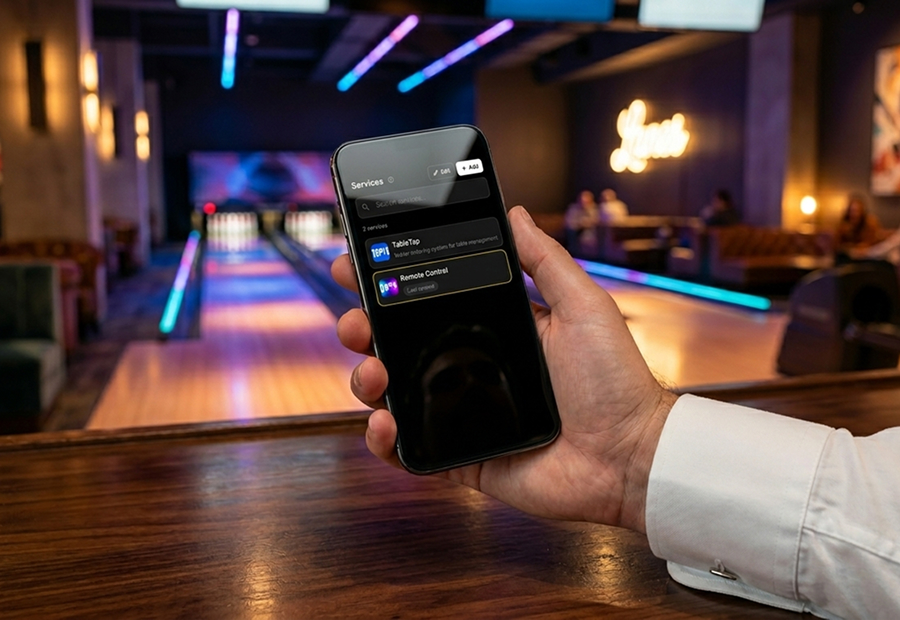
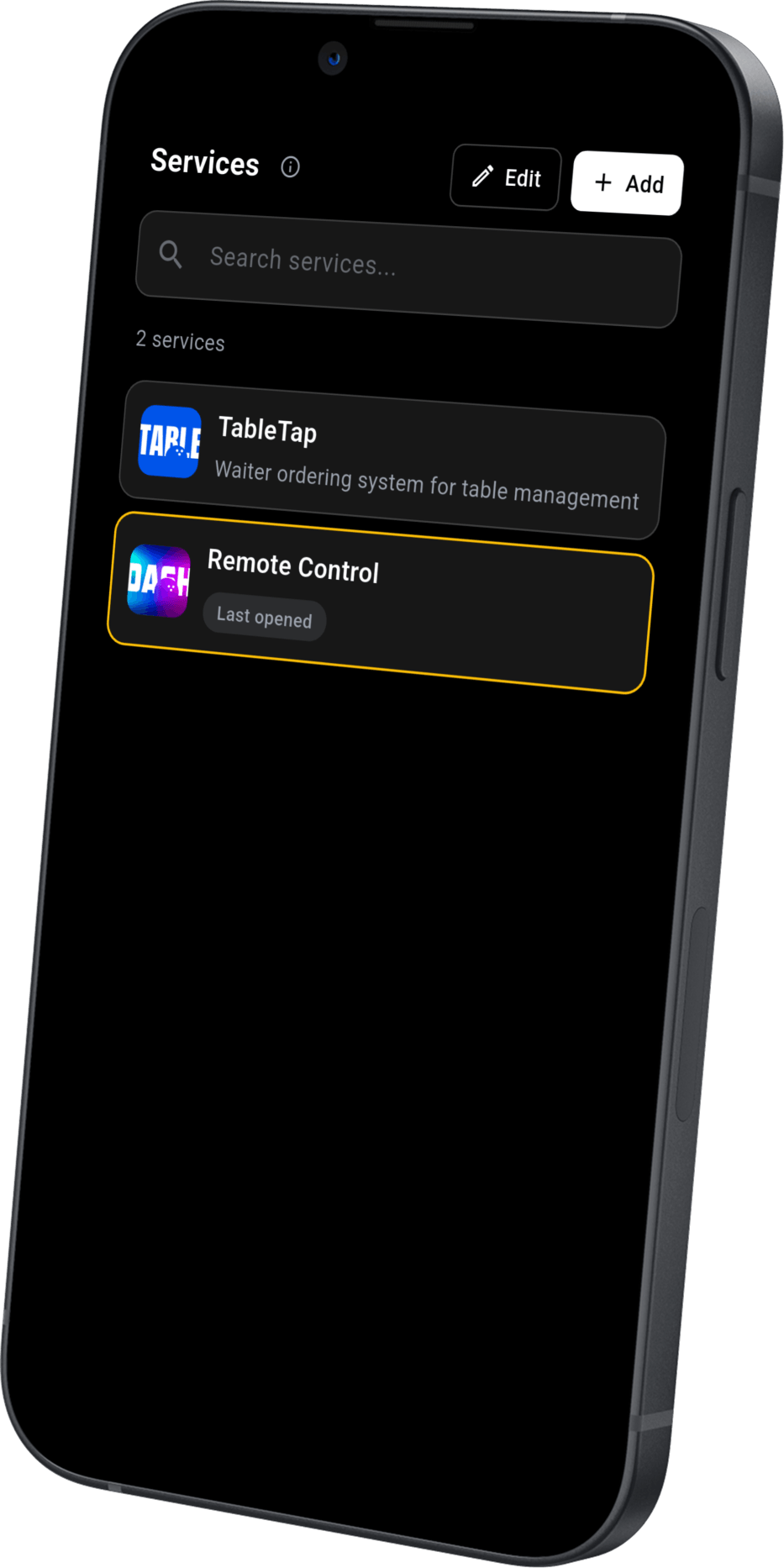
TM NaviGATE is a dedicated launcher where you can collect every web app you use in your venue: Remote Control, Kiosk or any other service.
No more dozens of browser tabs, no more time wasted looking for the right one: every service lives in a single screen, with its own name and icon, ready to launch with a tap.
URL or QR code, in seconds
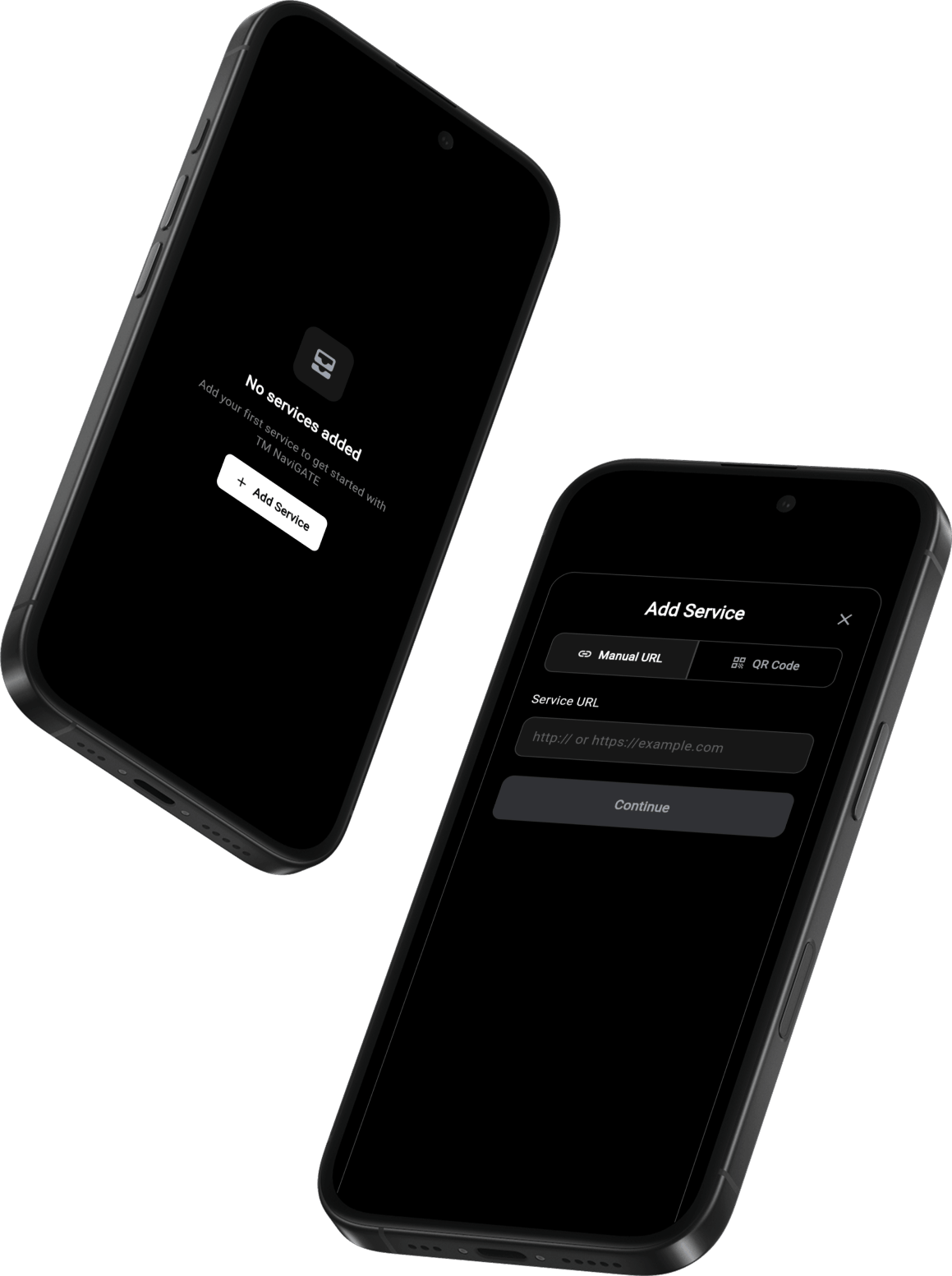
Two ways to add a new service: type the URL by hand or point the camera at a QR code.
The name is always customizable, and duplicates are flagged before they end up in the list.
Switch without losing your place
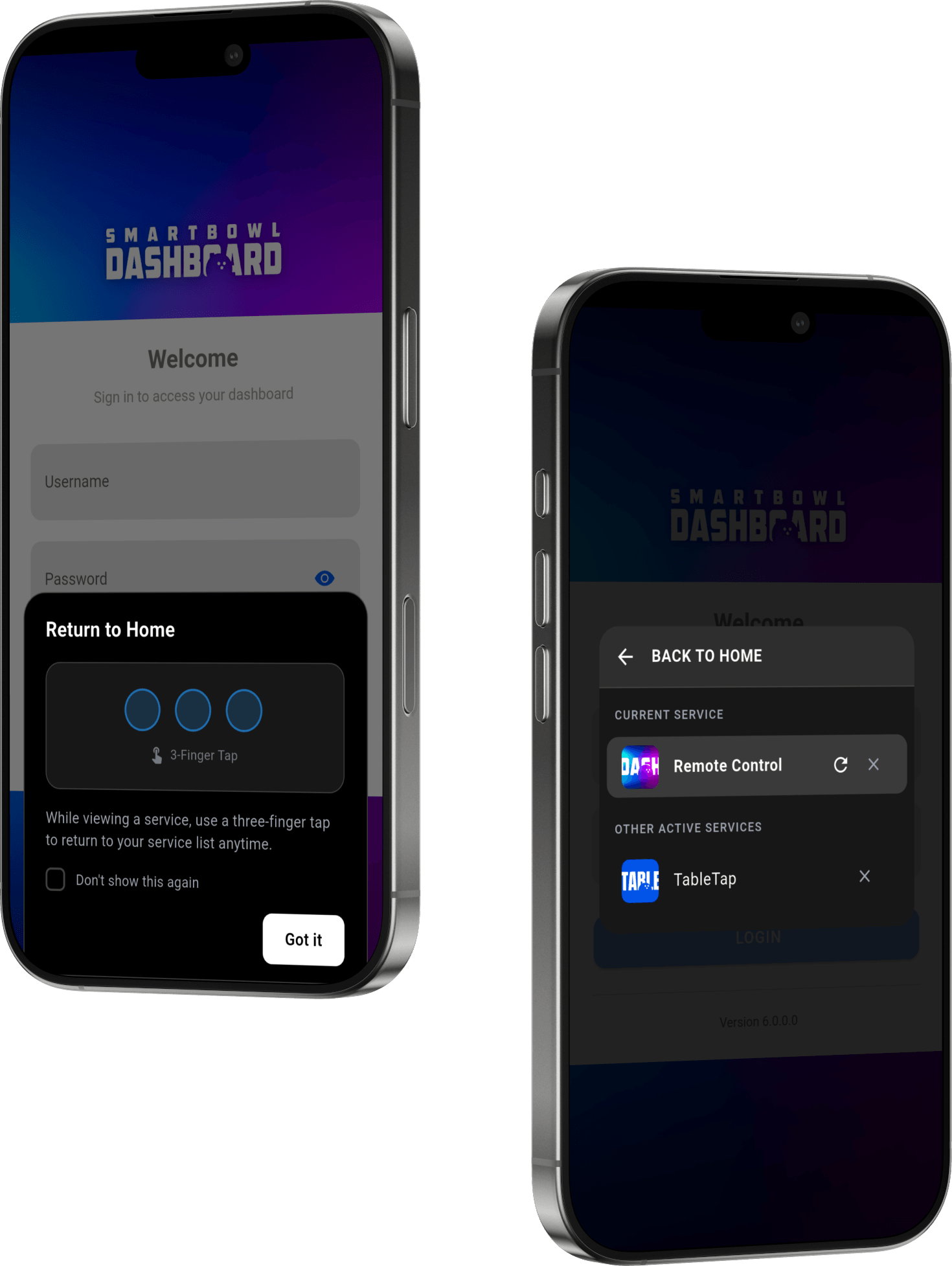
Once open, a service runs full-screen just like a native app. Multiple services can stay active at the same time: switching between them is instant, with no reloads and no loss of state.
A three-finger tap on the screen brings you back to the service list at any moment, where active services are highlighted and ready to resume.
Get TM NaviGATE on your device
Scan the QR code from your phone or tablet to download TM NaviGATE, available on the App Store and on Google Play.
Part of the SmartBowl ecosystem